Facing problem while debugging in chibi studio Topic is solved

ChibiOS public support forum for all topics not covered by a specific support forum.

Moderators: RoccoMarco, lbednarz, tfAteba

Post Reply
ep.hobbyiest
Posts: 94
Joined: Sun Jun 26, 2016 5:22 pm
Has thanked: 4 times
Been thanked: 1 time

Facing problem while debugging in chibi studio

Post by ep.hobbyiest »

Hi,

I am using STEVAL-IHM042V1 bldc dev board in which STM32F303xc is used and having inbuilt ST-LINK.

So, I took demo code as ST_STM32F3_DISCOVERY which is having same processor.

I use the same code and tried to flash and debug. I found processor get halted at following line. In function stm32_clock_init

Code: Select all

while (!(RCC->CR & RCC_CR_HSERDY))


Because Discovery board is works on Internal Oscillator and board i m using is working on External crystal. So, I enabled this STM32_HSE_ENABLED.

And after that i tried to flash but board was not responding. I reseted many times, disconnect/connect but not at all working after that.
And also previously led on board was changing color but after this happening only it was yellow color.

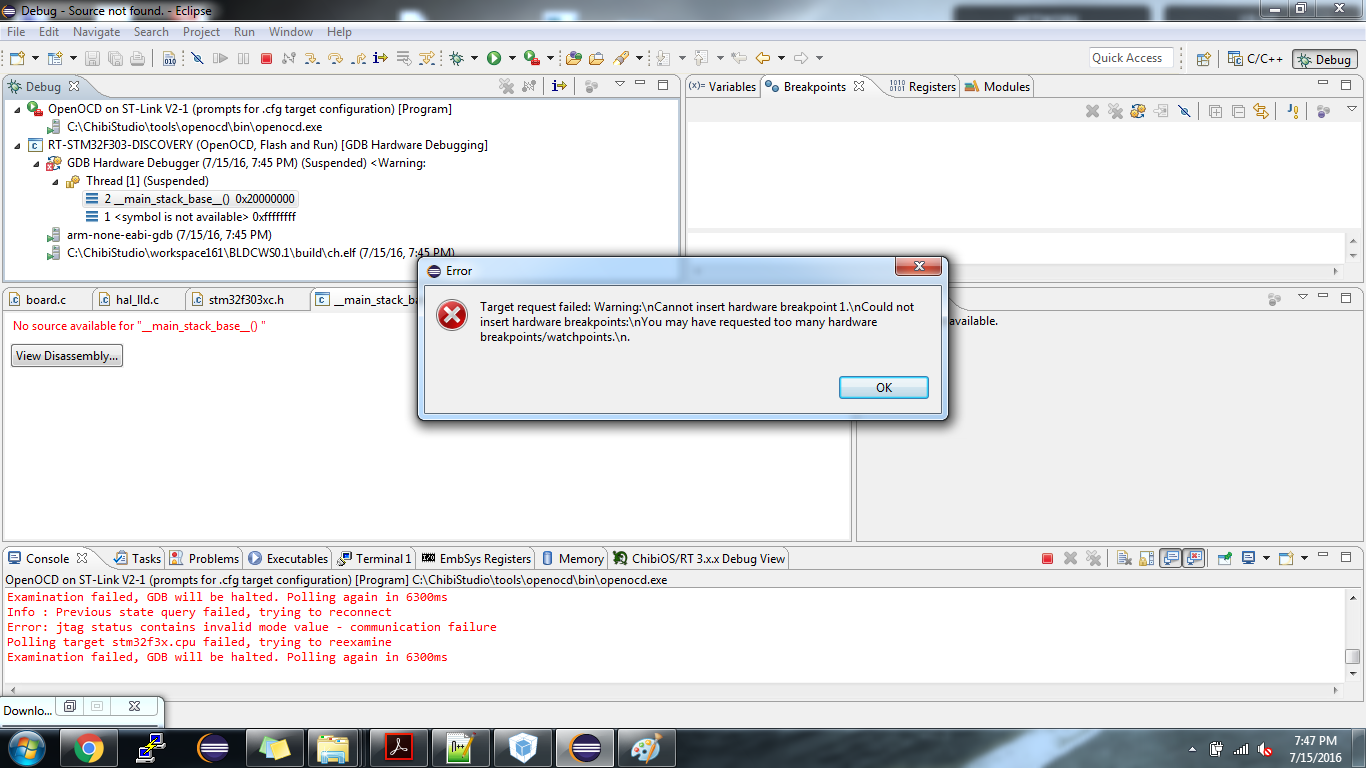
After that i restarted ChibiStudio, then i got following error when i tried to flash.
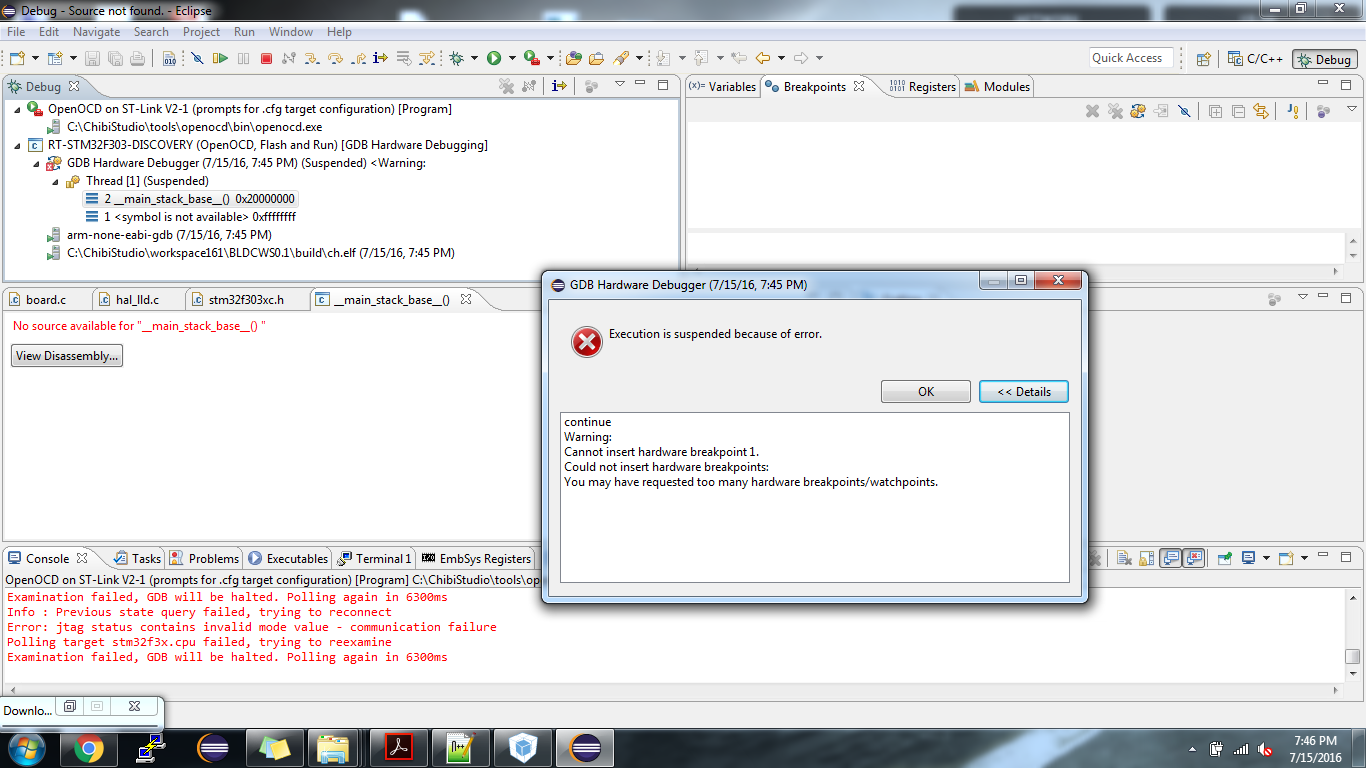
Image

Image
User avatar
Giovanni
Site Admin
Posts: 14895
Joined: Wed May 27, 2009 8:48 am
Has thanked: 1202 times
Been thanked: 997 times

Re: Facing problem while debugging in chibi studio

Post by Giovanni »

You should be able to use the STLink utility to erase the device.

Giovanni
ep.hobbyiest
Posts: 94
Joined: Sun Jun 26, 2016 5:22 pm
Has thanked: 4 times
Been thanked: 1 time

Re: Facing problem while debugging in chibi studio

Post by ep.hobbyiest »

Thanks for quick reply.

Yes i made it.

Now the problem remained is processor is getting stuck at following line in function stm32_clock_init

Code: Select all

while (!(RCC->CR & RCC_CR_HSERDY)) 


I am not able to figure out why it is getting stuck there. here is the stm32_clock_init function

Code: Select all

void stm32_clock_init(void) {

#if !STM32_NO_INIT
  /* HSI setup, it enforces the reset situation in order to handle possible
     problems with JTAG probes and re-initializations.*/
  RCC->CR |= RCC_CR_HSION;                  /* Make sure HSI is ON.         */
  while (!(RCC->CR & RCC_CR_HSIRDY))
    ;                                       /* Wait until HSI is stable.    */

  /* HSI is selected as new source without touching the other fields in
     CFGR. Clearing the register has to be postponed after HSI is the
     new source.*/
  RCC->CFGR &= ~RCC_CFGR_SW;                /* Reset SW */
  RCC->CFGR |= RCC_CFGR_SWS_HSI;            /* Select HSI as internal*/
  while ((RCC->CFGR & RCC_CFGR_SWS) != RCC_CFGR_SWS_HSI)
    ;                                       /* Wait until HSI is selected.  */

  /* Registers finally cleared to reset values.*/
  RCC->CR &= RCC_CR_HSITRIM | RCC_CR_HSION; /* CR Reset value.              */
  RCC->CFGR = 0;                            /* CFGR reset value.            */

#if STM32_HSE_ENABLED
  /* HSE activation.*/
#if defined(STM32_HSE_BYPASS)
  /* HSE Bypass.*/
  RCC->CR |= RCC_CR_HSEON | RCC_CR_HSEBYP;
#else
  /* No HSE Bypass.*/
  RCC->CR |= RCC_CR_HSEON;
#endif
  while (!(RCC->CR & RCC_CR_HSERDY))         //<------------------------------------Here Is processor is getting stuck
    ;                                       /* Waits until HSE is stable.   */
#endif

#if STM32_LSI_ENABLED
  /* LSI activation.*/
  RCC->CSR |= RCC_CSR_LSION;
  while ((RCC->CSR & RCC_CSR_LSIRDY) == 0)
    ;                                       /* Waits until LSI is stable.   */
#endif

  /* Clock settings.*/
  RCC->CFGR  = STM32_MCOSEL    | STM32_USBPRE    | STM32_PLLMUL   |
               STM32_PLLSRC    | STM32_PPRE1     | STM32_PPRE2    |
               STM32_HPRE;
  RCC->CFGR2 = STM32_ADC34PRES | STM32_ADC12PRES | STM32_PREDIV;
  RCC->CFGR3 = STM32_UART5SW   | STM32_UART4SW   | STM32_USART3SW |
               STM32_USART2SW  | STM32_I2C2SW    | STM32_I2C1SW   |
               STM32_USART1SW;

#if STM32_ACTIVATE_PLL
  /* PLL activation.*/
  RCC->CR   |= RCC_CR_PLLON;
  while (!(RCC->CR & RCC_CR_PLLRDY))
    ;                                       /* Waits until PLL is stable.   */
#endif

  /* Flash setup and final clock selection.   */
  FLASH->ACR = STM32_FLASHBITS;

  /* Switching to the configured clock source if it is different from HSI.*/
#if (STM32_SW != STM32_SW_HSI)
  /* Switches clock source.*/
  RCC->CFGR |= STM32_SW;
  while ((RCC->CFGR & RCC_CFGR_SWS) != (STM32_SW << 2))
    ;                                       /* Waits selection complete.    */
#endif

  /* After PLL activation because the special requirements for TIM1 and
     TIM8 bits.*/
  RCC->CFGR3 |= STM32_TIM8SW | STM32_TIM1SW;
#endif /* !STM32_NO_INIT */
}
 
User avatar
RoccoMarco
Posts: 655
Joined: Wed Apr 24, 2013 4:11 pm
Has thanked: 83 times
Been thanked: 67 times

Re: Facing problem while debugging in chibi studio

Post by RoccoMarco »

Can you share your mcuconf.h?

RM
ep.hobbyiest
Posts: 94
Joined: Sun Jun 26, 2016 5:22 pm
Has thanked: 4 times
Been thanked: 1 time

Re: Facing problem while debugging in chibi studio

Post by ep.hobbyiest »

I didn't even change any thing.
Here i have attached mcuconf.h file.

mcuconf.zip
mcuconf.h
(1.83 KiB) Downloaded 637 times
User avatar
Giovanni
Site Admin
Posts: 14895
Joined: Wed May 27, 2009 8:48 am
Has thanked: 1202 times
Been thanked: 997 times

Re: Facing problem while debugging in chibi studio

Post by Giovanni »

Are board files specific for that board?

Giovanni
User avatar
RoccoMarco
Posts: 655
Joined: Wed Apr 24, 2013 4:11 pm
Has thanked: 83 times
Been thanked: 67 times

Re: Facing problem while debugging in chibi studio

Post by RoccoMarco »

Check the schematic, you need to find out if you have an HSE on your board, its frequency and the bypass mode.

HSE clock frequency and bypass mode is in board.h, enable switch is in the mcuconf.h.

You can switch on HSI in order to face this problem later. By the way you have to create your own mcuconf.h and your own board files. Following piece of mcuconf will disable HSE and switch PLL clock source to HSI (a 8MHz RC oscillator, less stable than HSE)

Code: Select all

#define STM32_NO_INIT                       FALSE
#define STM32_PVD_ENABLE                    FALSE
#define STM32_PLS                           STM32_PLS_LEV0
#define STM32_HSI_ENABLED                   TRUE
#define STM32_LSI_ENABLED                   TRUE
#define STM32_HSE_ENABLED                   FALSE
#define STM32_LSE_ENABLED                   FALSE
#define STM32_SW                            STM32_SW_PLL
#define STM32_PLLSRC                        STM32_PLLSRC_HSI
#define STM32_PREDIV_VALUE                  1
#define STM32_PLLMUL_VALUE                  9
ep.hobbyiest
Posts: 94
Joined: Sun Jun 26, 2016 5:22 pm
Has thanked: 4 times
Been thanked: 1 time

Re: Facing problem while debugging in chibi studio

Post by ep.hobbyiest »

Hi,
This board files are not specific for that board. I am using different board but with same processor.
Board files I am using are for ST_STM32F3_DISCOVERY but board i m using STEVAL-IHM042V1.

Board has HSE crystal on that with 8Mhz, Now i have commented STM32_HSE_BYPASS. Because i want to use crystal frequency.
ep.hobbyiest
Posts: 94
Joined: Sun Jun 26, 2016 5:22 pm
Has thanked: 4 times
Been thanked: 1 time

Re: Facing problem while debugging in chibi studio

Post by ep.hobbyiest »

Hi,

I used following setting in mcuconf.h

Code: Select all

#define STM32_NO_INIT                       FALSE
#define STM32_PVD_ENABLE                    FALSE
#define STM32_PLS                           STM32_PLS_LEV0
#define STM32_HSI_ENABLED                   TRUE
#define STM32_LSI_ENABLED                   TRUE
#define STM32_HSE_ENABLED                   TRUE
#define STM32_LSE_ENABLED                   FALSE


Atleast processor is going further. In os i m using only one thread at the beginning for led blinking at 500 ms rate. But led is not being blinking. scheduler is always running idle thread.

i have attached main.c, board.h and mcuconf.h file for reference.

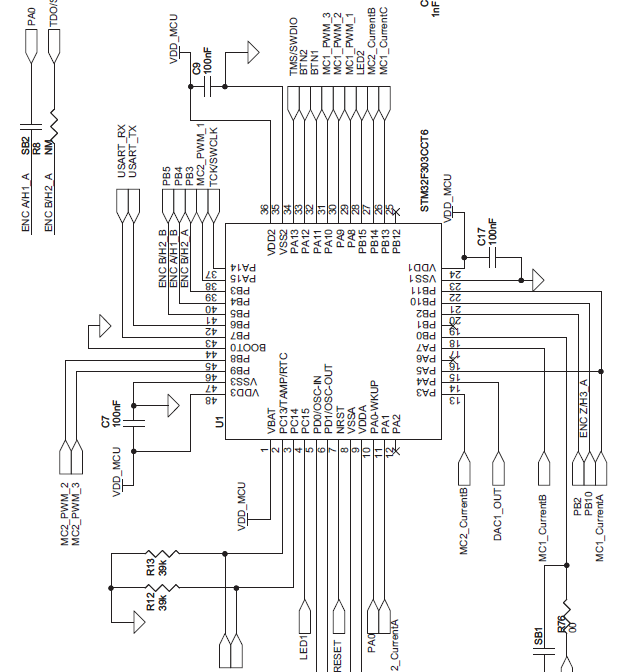
here is the schematic of board i m referring.
Image

connection:

LED1 : PC15
LED2 : PB15
Attachments
reference.zip
(7.86 KiB) Downloaded 459 times
User avatar
RoccoMarco
Posts: 655
Joined: Wed Apr 24, 2013 4:11 pm
Has thanked: 83 times
Been thanked: 67 times

Re: Facing problem while debugging in chibi studio

Post by RoccoMarco »

Hi,
LED is not blinking because yours is connected on a different pin copmaring to the Discovery.

When you use a new board you have to create you own board files. Board files name every PIN and configure it according to their function. There is a tool to create configuration starting from an xml file in chibistudio.

I wrote about this in different articles on our blog. I suggest you to read at least this chapter and see the video to understand well. Explore the board file to STM32F3 Discovery comparing board file with the discovery's schematic and everything will be more clear.
Post Reply